
Is Microsoft Edge deleting your saved passwords without warning? That can be frustrating—especially when you rely on it to remember logins for your favorite websites. This issue can happen due to browser settings, sync problems, or even corrupted user profiles. But don’t worry, there are simple ways to fix it and keep your passwords safe. In this blog, we’ll explain why Edge might be deleting saved passwords and show you step-by-step solutions to stop it from happening again. Let’s get your browser back to remembering what matters!
Steps to Save Password by Microsoft Edge
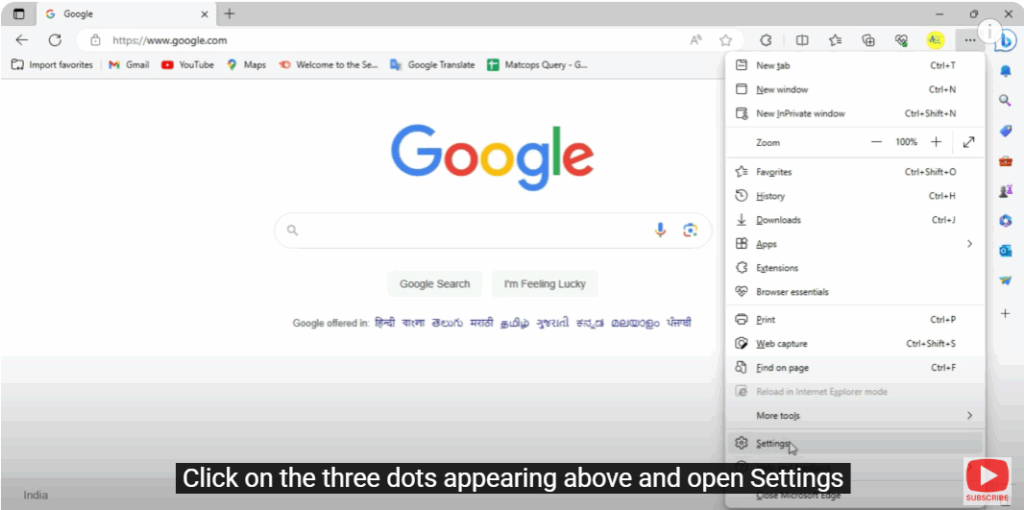
- Open your Microsoft Edge.
- Click on the three dots appearing above and open Settings.
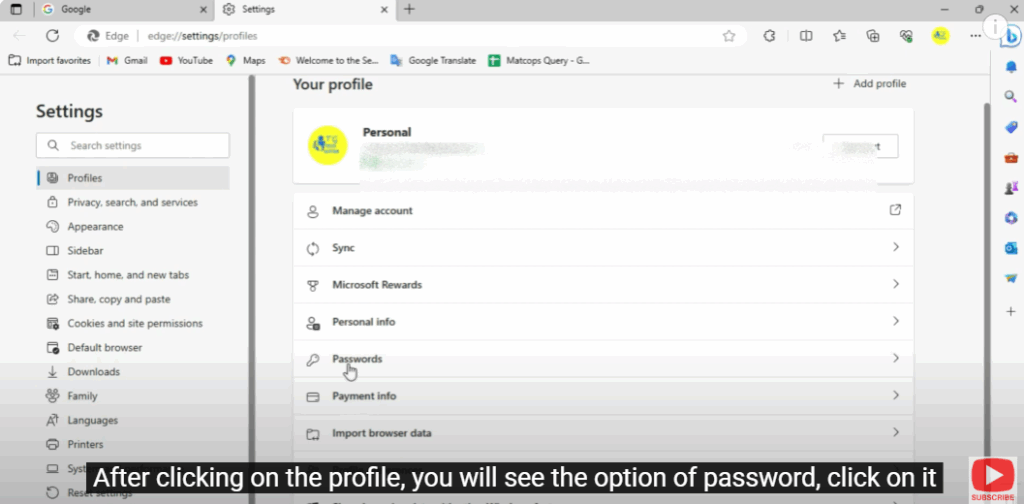
- After clicking on the Profile, you will see the option of Password, click on it.
- Here you will see the options “Offer to save password” and “Automatically save password.”
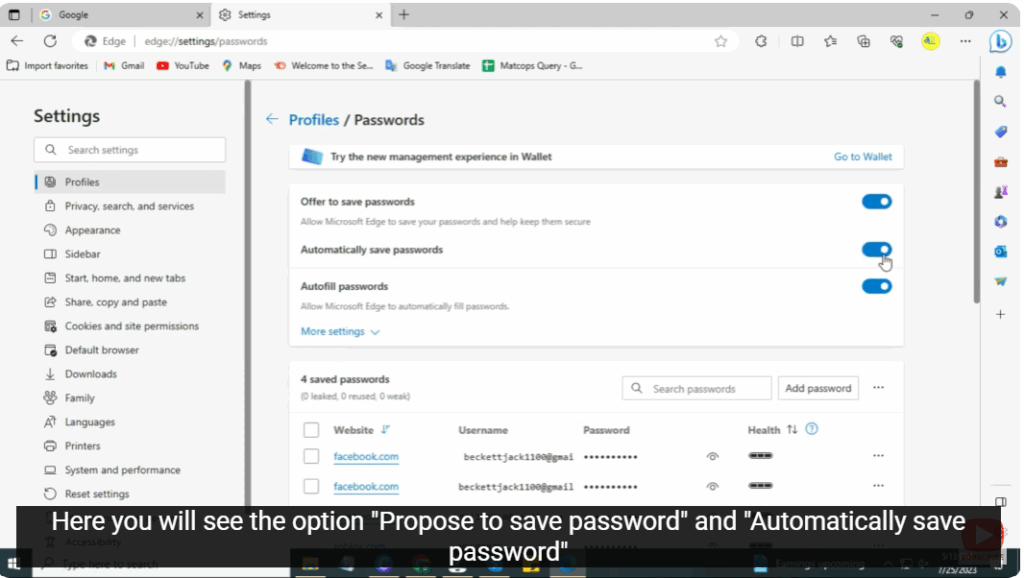
- Now, any password you enter will automatically be saved in your Microsoft Edge.






