
If you have ever tried to run a game or software on Windows and got an error saying something like “MSVCP140.dll is missing” or “VCRUNTIME error”, then you’ve already met the Microsoft Visual C++ Redistributable without even knowing it. These small but important files help your computer run programs that are built using Visual C++. Without them, many apps and games just won’t start. In this tutorial, we’ll guide you step by step on how to download and install all versions of Microsoft Visual C++ Redistributable so your PC is ready to smoothly run any software that needs it.
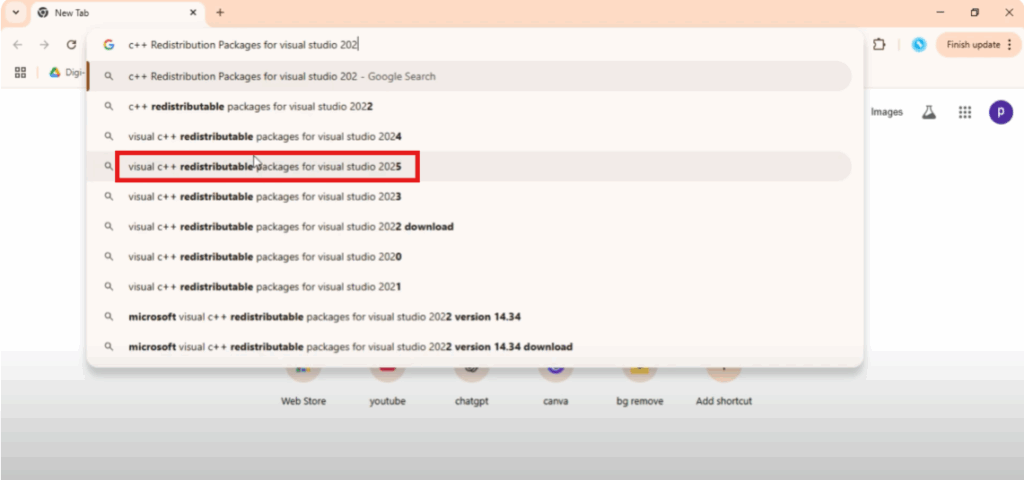
First, open your preferred browser. Here, I’m using Google Chrome. Go to the search bar and type C++ redistributable packages for Visual Studio 2025. Then press enter.
From the results, make sure to click on the official Microsoft website. It usually looks like this:
https/learn.microsoft.com or microsoft.com.
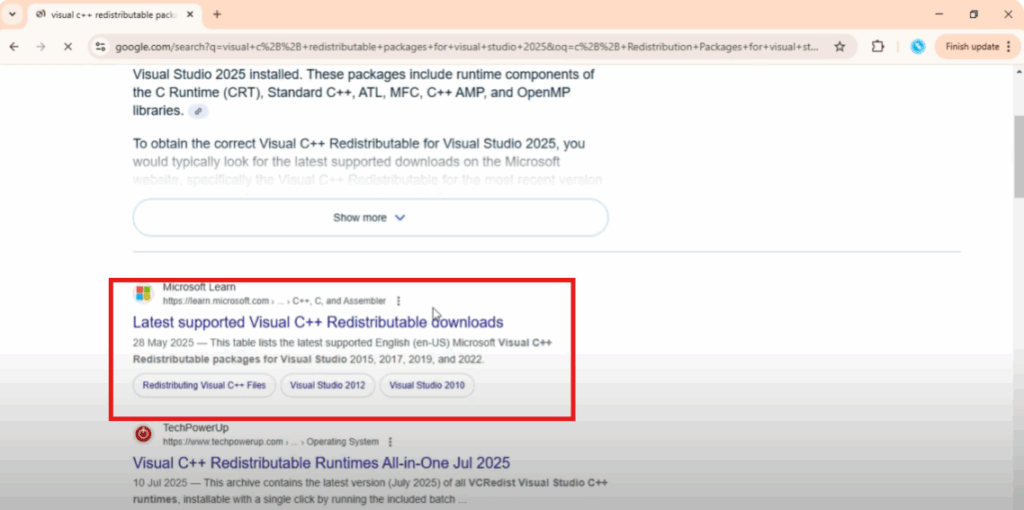
Always download from Microsoft’s official page for safety.
Once you’re on the page, scroll down a little and you’ll see the latest Visual C++ redistributable versions available for download. You’ll usually find three main options:
- ARM 64 for ARM-based devices
- x86 for 32-bit systems
- x64 for 64-bit systems
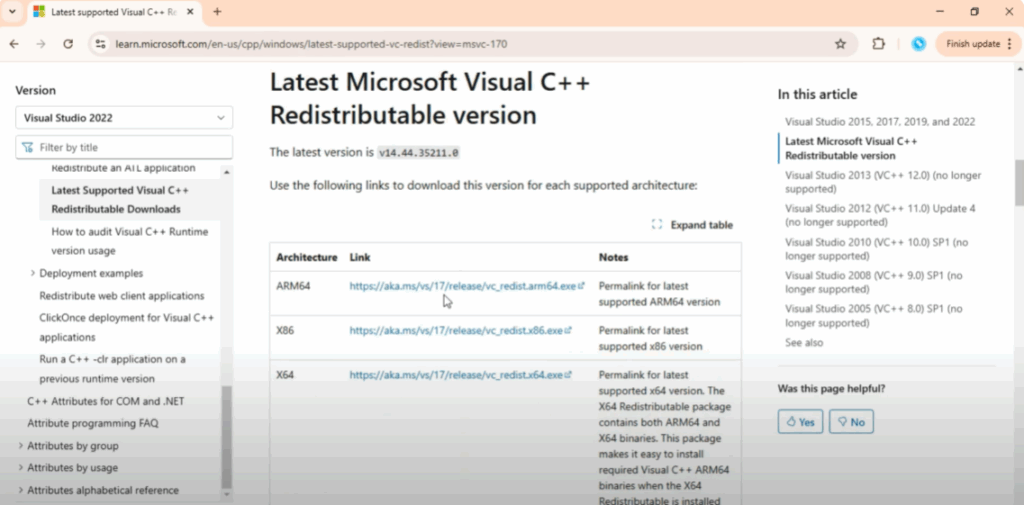
Click on the correct version and the download will begin. Wait for it to complete.
Once the file is downloaded, open it. A setup window will appear. Carefully read the instructions. Tick the check box to agree with the license terms and then click install.
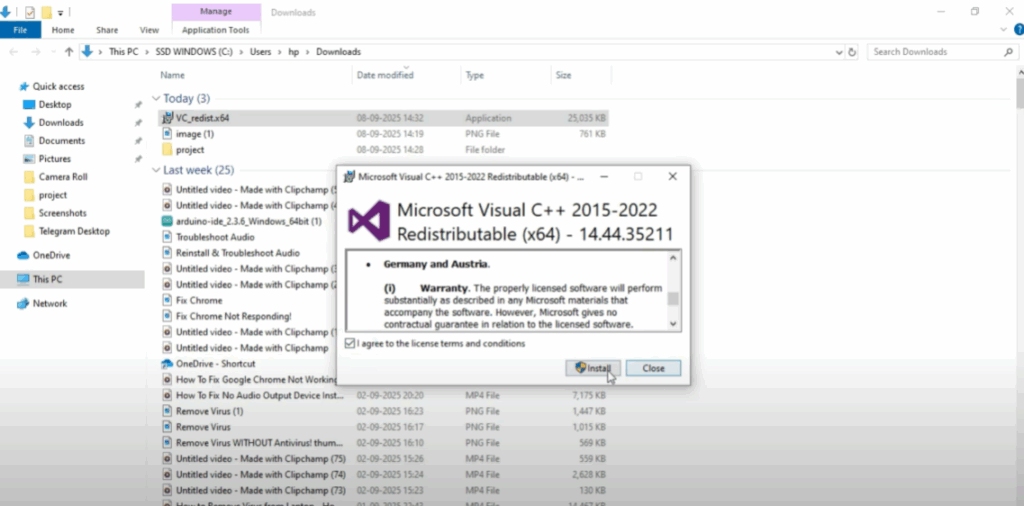
The installation will take a few moments. After it’s done, you’ll see a message saying the setup is successful.
Now your Visual C++ redistributable package is ready to use and your apps or games that depend on it should work without errors.






