
If your PC keeps restarting over and over, it can be very frustrating and disrupt your work. This problem may happen due to issues like automatic restart settings, overheating, faulty drivers, malware, or hardware problems. In this blog, you will learn easy and effective fixes to stop the endless restart loop and get your computer working smoothly again fast.
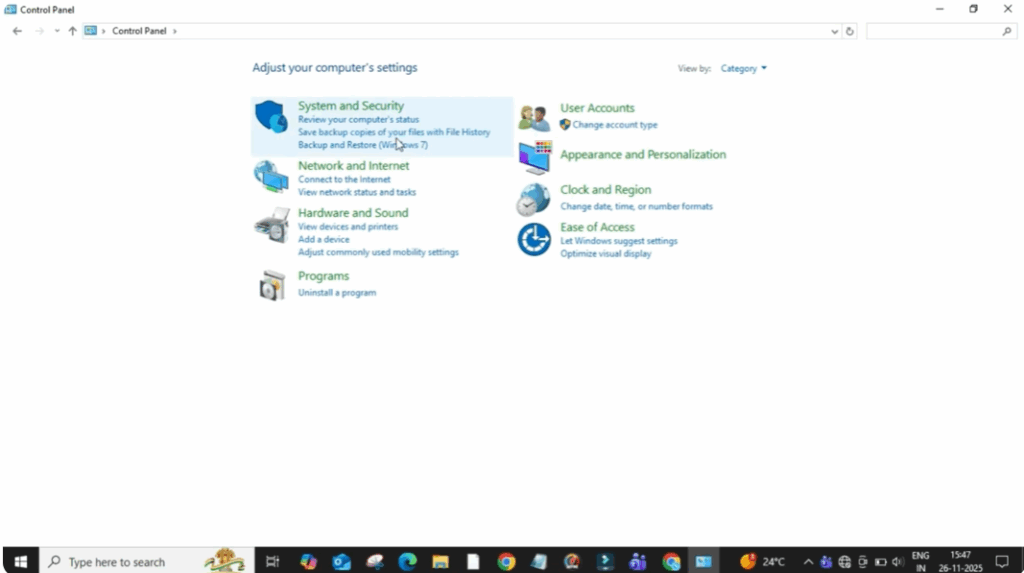
Firstly, click on the search bar and type control panel and then open it. After that, change the view to large icons so you can clearly see all the options. Now, select security and system.
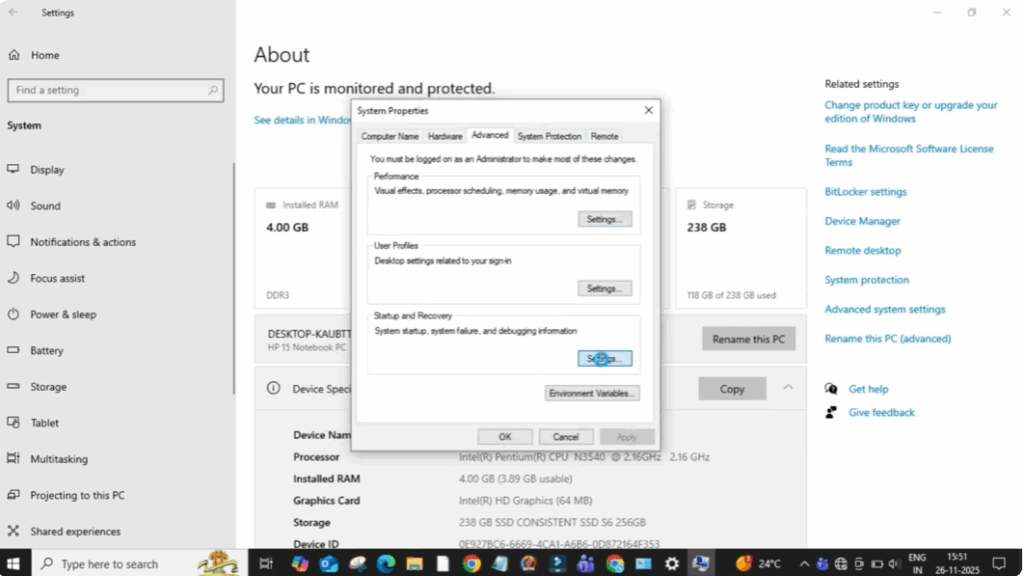
When the new window opens, click on system and on the right side you will see advanced system settings. So, click on it. A small window will appear. Inside you’ll find the startup and recovery section. Here click on the settings button.
Now you will see an option called automatically restart. This option forces your PC to restart whenever Windows faces a minor error which is why your computer suddenly restarts without warning. So simply uncheck the box to disable automatic restarts.
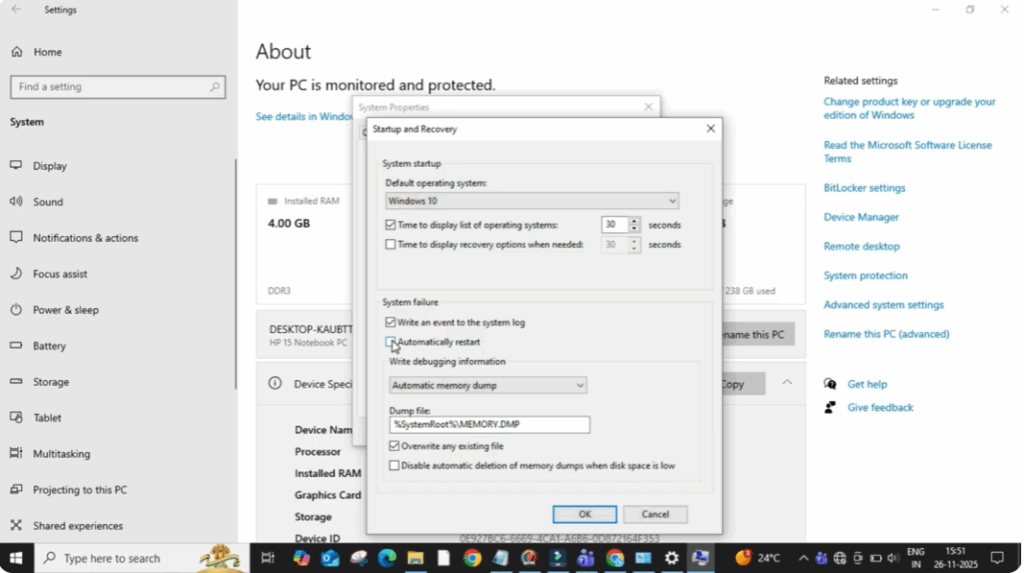
After that click on okay again. Click on okay to save all settings and close every window. Now restart your PC once manually so the changes apply properly. After your system restarts, the sudden restart issue will stop and your PC will start working smoothly without unexpected shutdowns.






