

Welcome back to my channel Tech Gitter Official. In today’s video, we will learn how to disable the automatic maximize feature when dragging a window on Windows 10 or Windows 11. Many users find it annoying when a window automatically snaps or maximizes as soon as you drag it to the top of the screen.
Let’s begin.
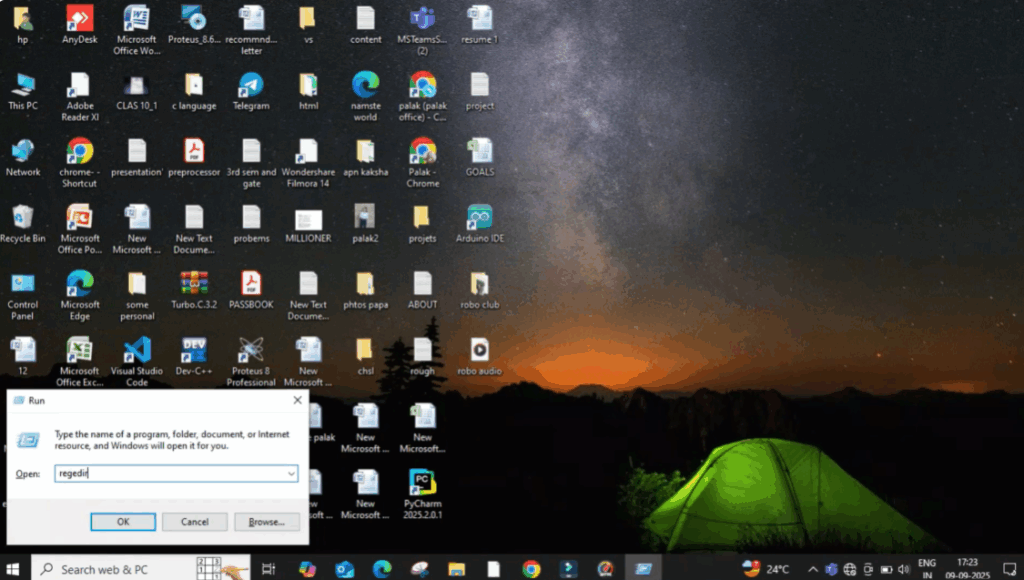
Firstly, press Windows + R on your keyboard. Type regedit and then click OK. This will open the Registry Editor.
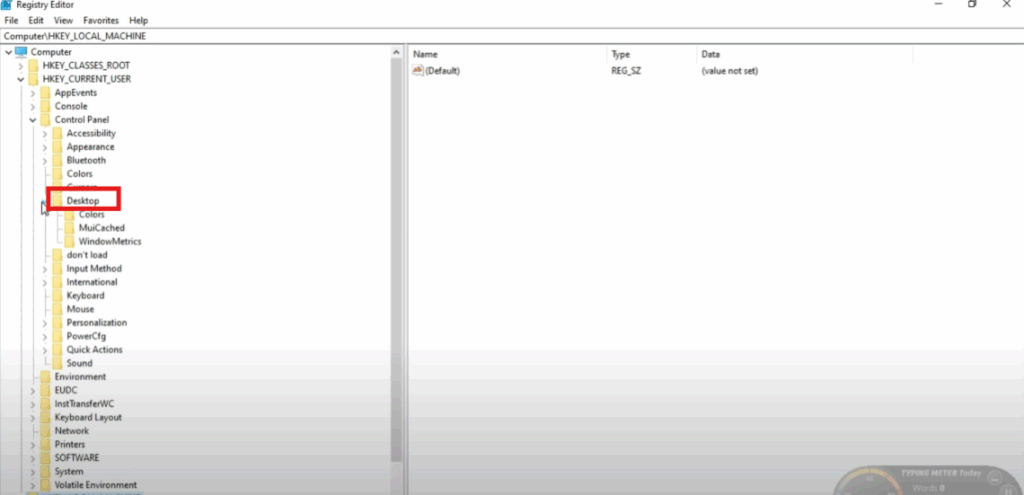
Now in the left-hand panel, navigate to HKEY_CURRENT_USER, then expand Control Panel and after that click on Desktop.
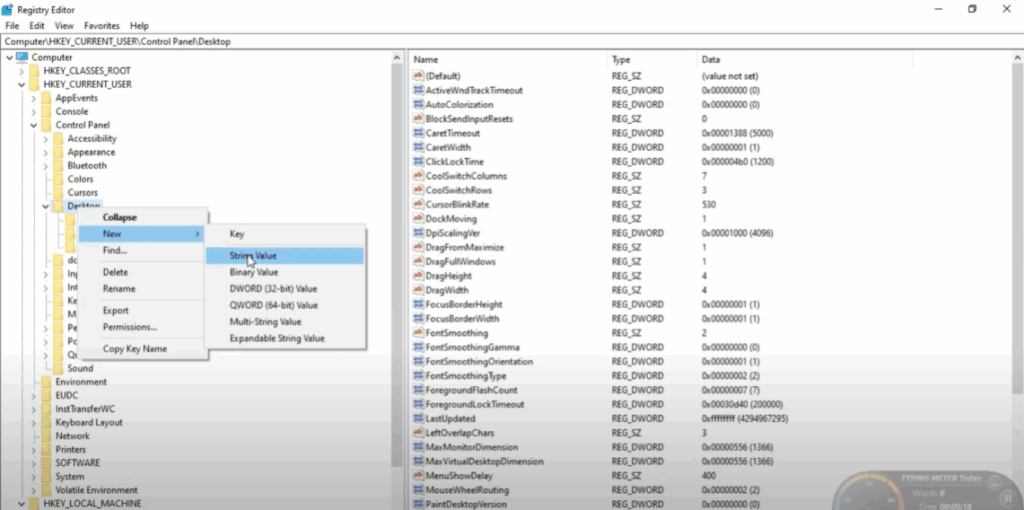
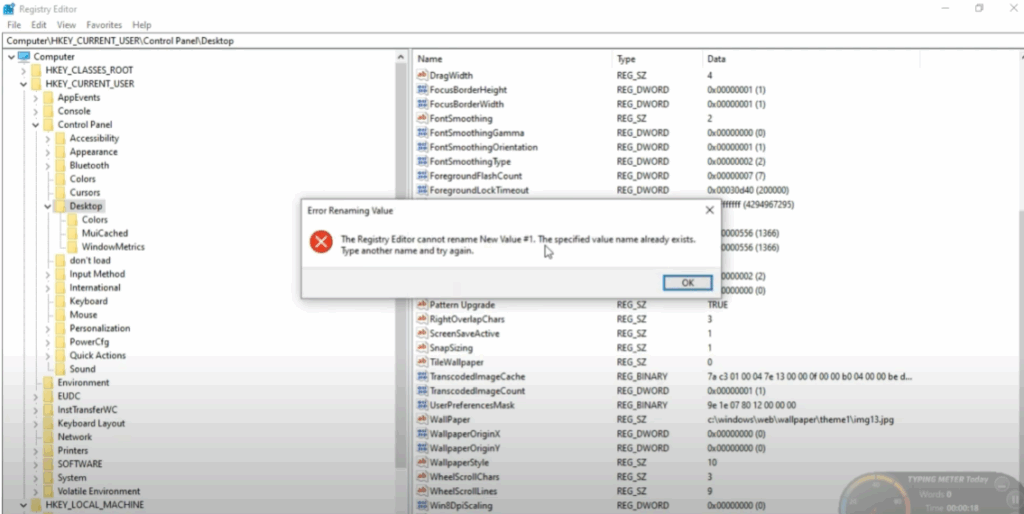
Choose New and then select String Value. A new entry will appear — rename it to DragWithMaximize and press Enter.
If your device shows a warning like Registry Editor cannot rename, just click OK and continue.
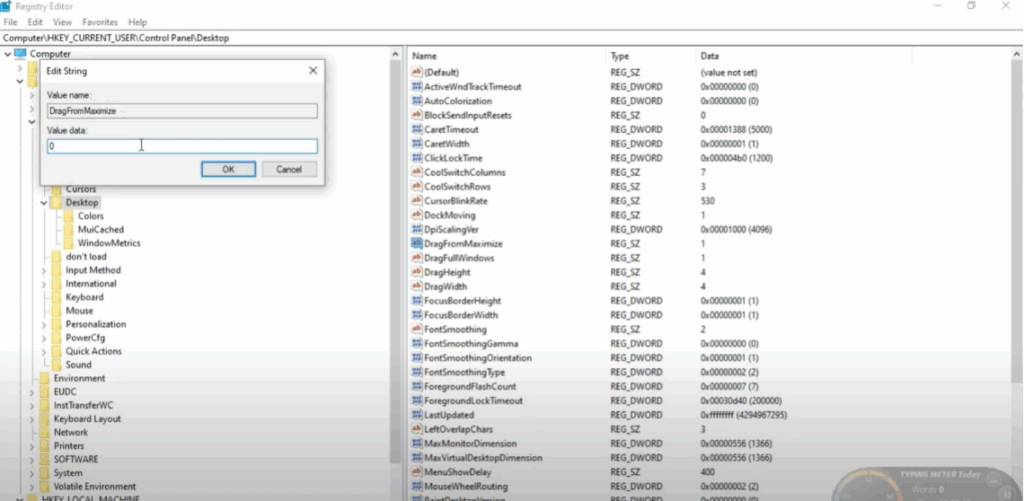
Now find the new value named DragWithMaximize. Double-click on it and change the string value data from 1 to 0. Then click OK. This disables the auto-maximize feature.
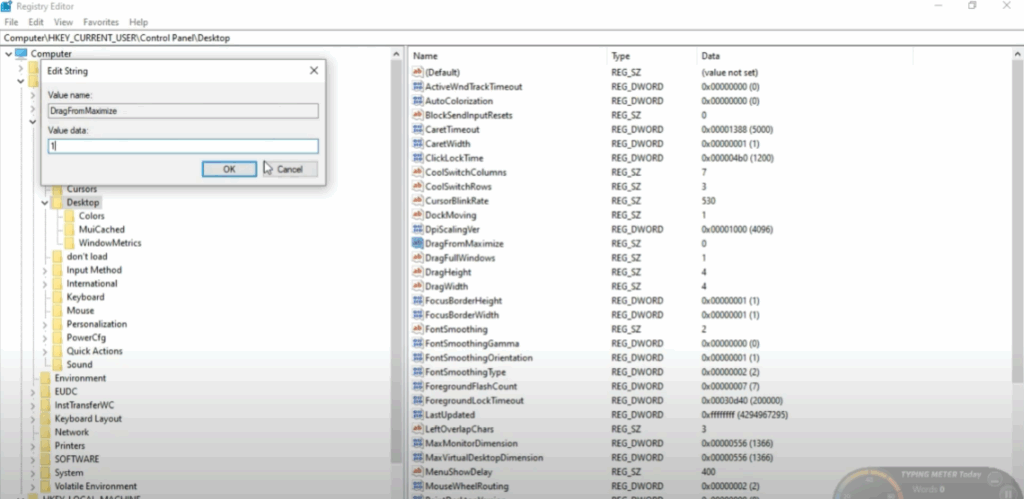
For some systems, you may need to toggle it back once. So again, click on DragWithMaximize. This time change the string value from 0 to 1 and click OK. This ensures the registry properly applies the setting.
Finally, restart your PC to make the changes take effect. Once your system reboots, you’ll notice that dragging a window will no longer automatically maximize it when reaching the top of the screen.
And that’s it. Thanks for watching. If you found this tutorial useful, please like, comment, and subscribe for more helpful tech guides.






