

Hello friends, welcome to my channel Tech Gitter. In today’s video we are going to talk about how to verify insurance with USAA. Be sure to watch the video to learn all the steps and more. Let’s get started.
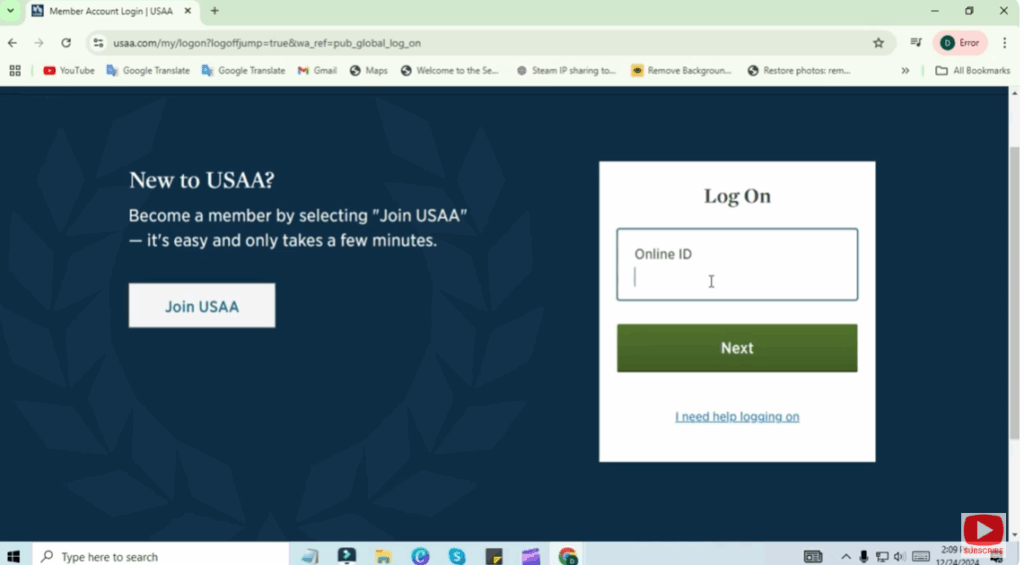
First, open your web browser and visit usaa.com. Log into your USAA account. If you don’t have an account, you can create one by following the instructions on the site.
After logging in, navigate to the Property Insurance Coverage Verification page. This page will guide you through the process of verifying your insurance.
Provide Your Details
Now you’ll need to provide a few details. These include:
- Your company ID
- Your house number and ZIP code or property address
- Your USAA policy number
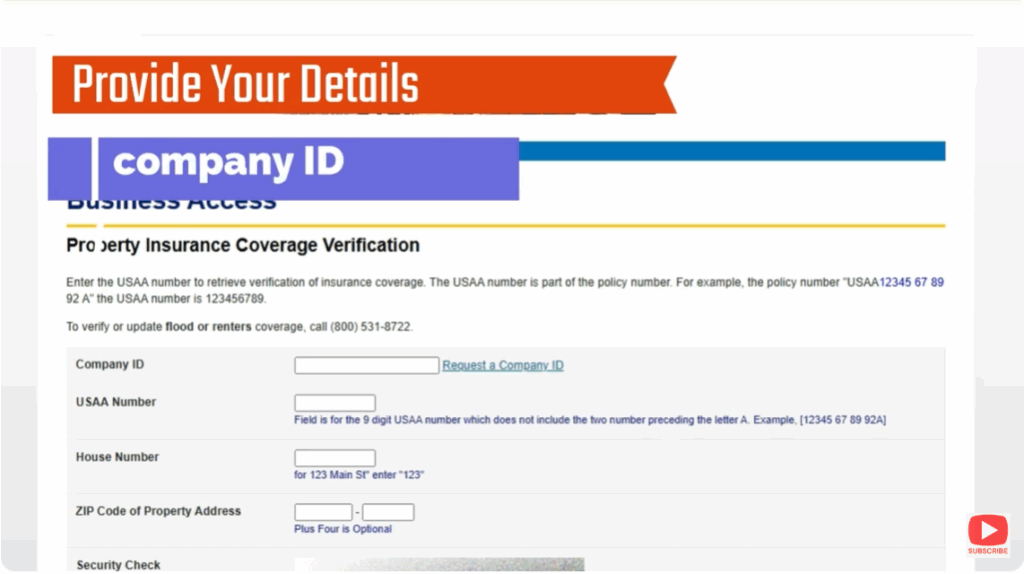
For the policy number, enter only the first nine digits before the letter. For example, if your policy number is 112345876958R, your USAA number would be 1123458769.
Confirm Your Details
Double check that all the information you’ve entered is correct. Once you’re sure everything is correct, proceed to the next step.
Complete the Security Check
You’ll be asked to complete a security check. Simply type the letters you see in the text box below, then confirm that you agree to the terms and conditions by checking the box.
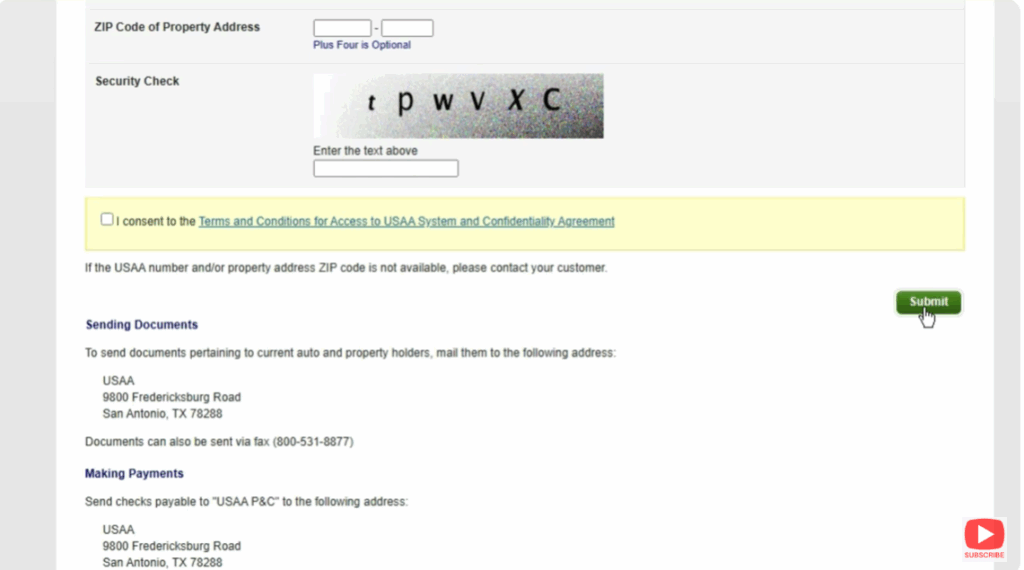
Submit Your Request
Click the green Submit button. Your request may take a while to process, but once it is, you should receive a notification confirming the successful verification of your insurance.
You’ve now verified your insurance with USAA.
Thanks for watching. If you like the video, don’t forget to share it or subscribe to the channel. Have a nice day, and until next time, keep learning.






