
Filling out the W‑4 form might seem confusing, but it’s actually easier than you think—especially with the 2026 updates from the IRS. This form helps your employer know how much federal income tax to take from your paycheck. If you fill it out correctly, you can avoid paying too much or too little in taxes. Whether you’re starting a new job or updating your tax info, understanding the W‑4 is important for managing your money. In this blog, we’ll break down the form step by step in simple language, so you can complete it with confidence and avoid common mistakes. Let’s make taxes less stressful and get your W‑4 done right!

Section One: What is the W4 Form?
The W4 form is an IRS document your employer uses to know how much tax to withhold from your paycheck. Filling it out properly ensures you don’t underpay or overpay your taxes during the year.
Section Two: IRS 2026 Updates
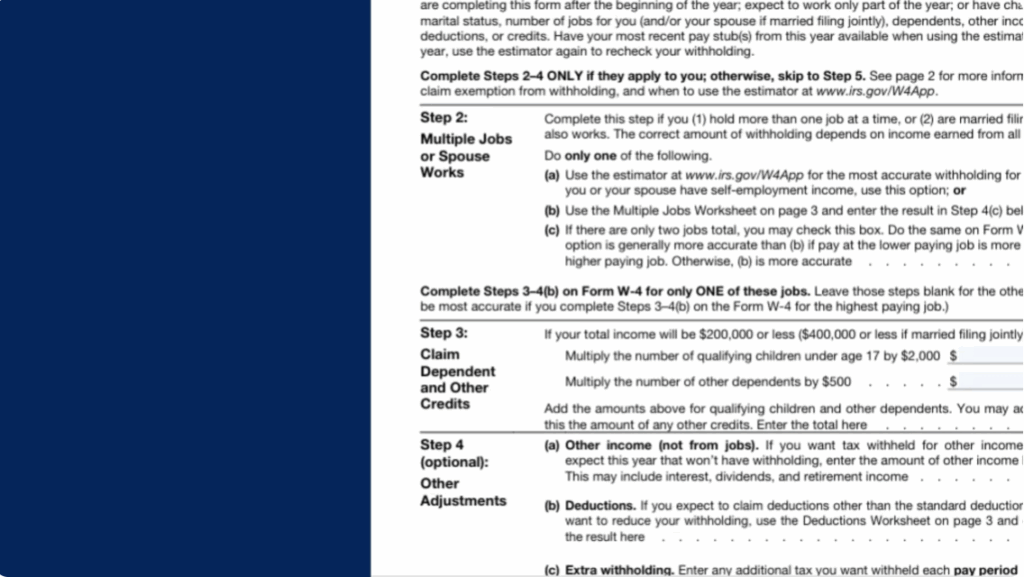
The IRS made some updates for 2026. The form still has five main steps, but it’s designed to be more accurate. We’ll go through each step so you know exactly what to do.
Section Three: Step-by-Step Guide
- Step One: Personal Information
Fill in your name, address, social security number, and filing status. - Step Two: Multiple Jobs or Spouse Works
Use the IRS estimator or check the box if it applies. - Step Three: Claim Dependents
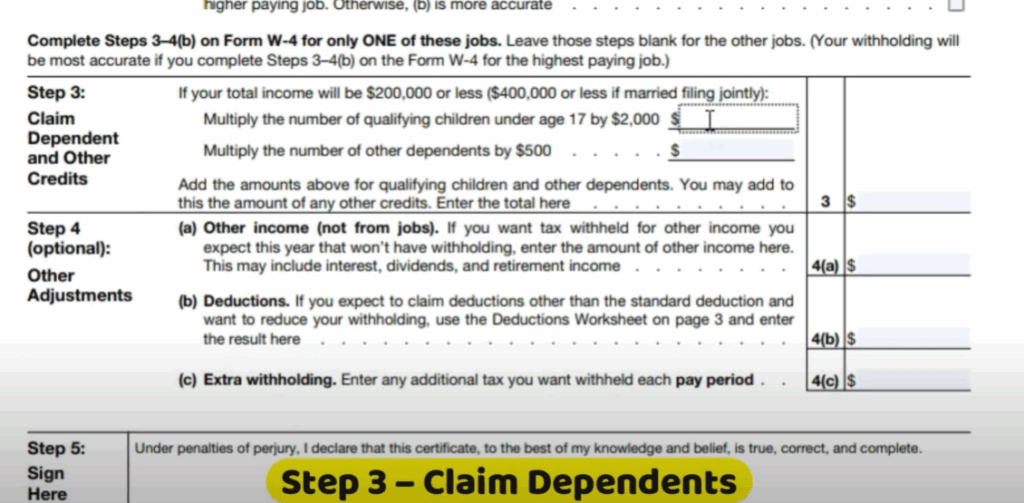
Enter the number of qualifying children and dependents for credits. - Step Four: Other Adjustments
Add extra income, deductions, or extra withholding if needed. - Step Five: Sign and Date
Always review before submitting.
Section Four: Common Mistakes to Avoid
Some common mistakes include leaving sections blank, not updating the form when your situation changes, or guessing dependents incorrectly. Always double check your info before handing it in.
And that’s it. Filling out your W4 form for 2026 can be simple if you follow these steps. If this video helped, make sure to like, share, and subscribe. For more tax for the official form, visit irs.gov.






