
Hello friends, welcome back to our YouTube channel. In today’s guide, I’m going to show you a very simple and effective method to fix the Windows 10 activation error. So, let’s begin without wasting any time.
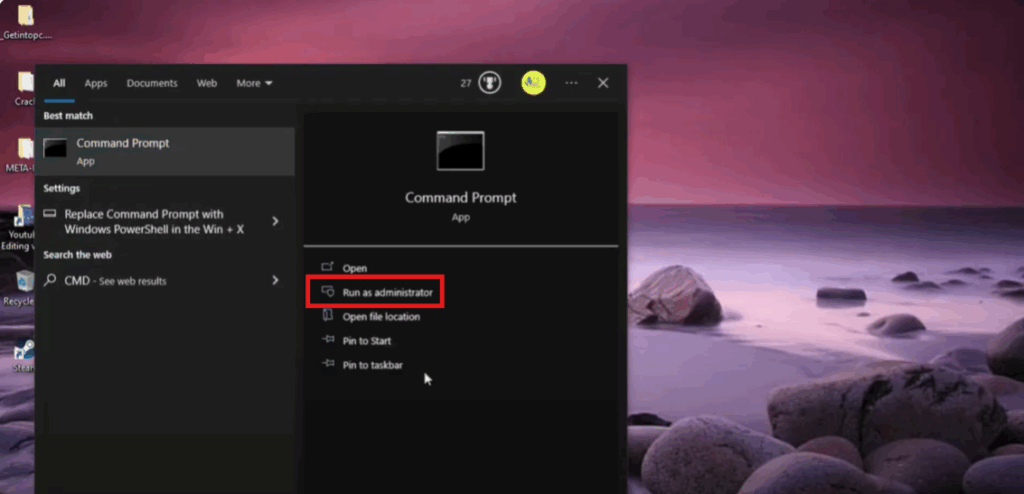
Step 1: Open Command Prompt
Click on the Start menu, type cmd in the search bar. Then, right-click on Command Prompt and select Run as administrator. This will give us the necessary permissions to make system changes.
Step 2: Open Registry Editor
Press Windows + R on your keyboard, type regedit, then press Enter and select Run as administrator.
You’re now inside the Registry Editor.
- Click on the File menu at the top left.
- Select Export.
- Change the export range to All.
- Choose a location to save the file and click Save.
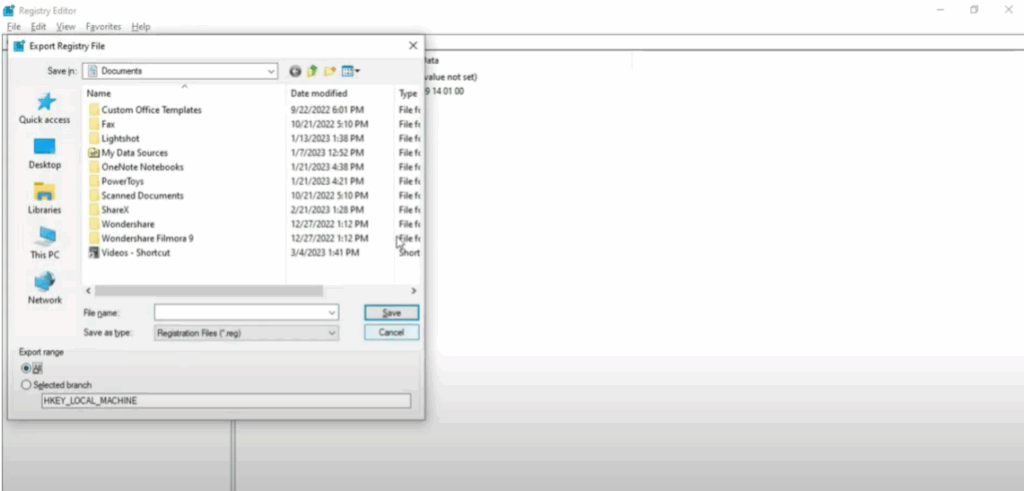
This creates a backup of your registry.
Step 3: Navigate to Product ID
Inside the Registry Editor, look at the left side of the window.
- Find and click the folder HKEY_LOCAL_MACHINE to expand it.
- Scroll down and find the folder named Software and click on it.
- Now inside the Software folder, find the folder called Microsoft and click on it.
- Then look for the folder Windows NT and open it.
- Inside Windows NT, click on CurrentVersion.
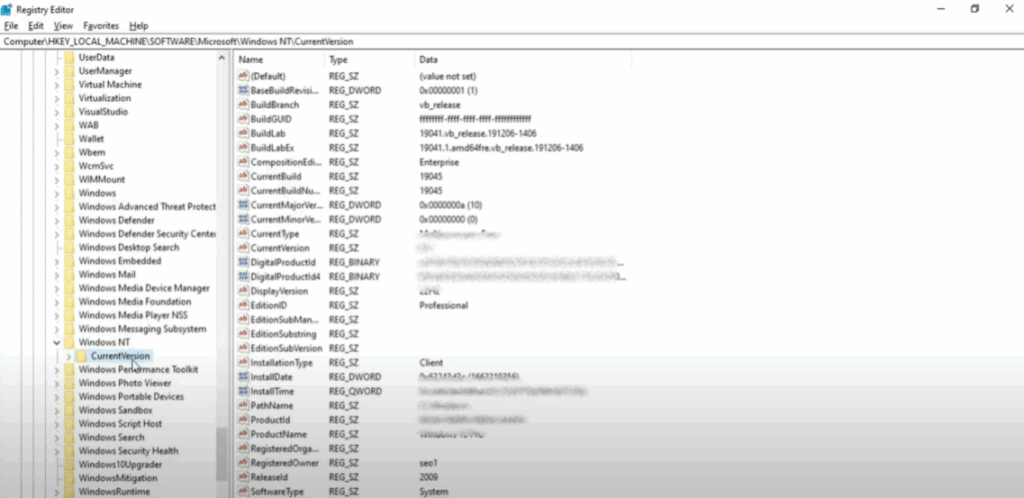
Once you click CurrentVersion, look at the right side of the Registry Editor window.
Here you will see many entries and values.
- Double-click on Product ID to open a small window showing the full ID number.
- Click inside the box showing the number.
- Right-click and choose Copy.
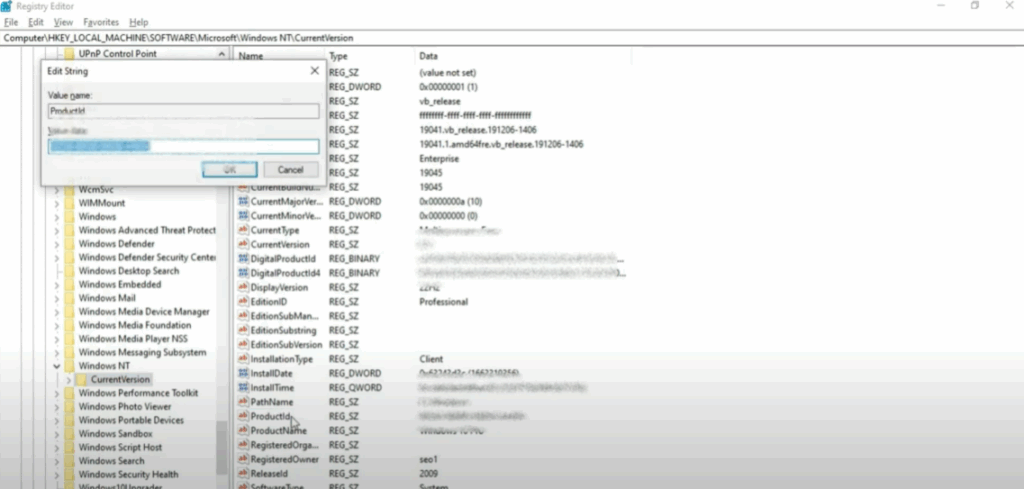
Step 4: Save Product ID
Open Notepad and paste the copied Product ID. Save the notepad file.
Then, go to your desktop, right-click on the screen, and select New > Text Document. Paste your Product ID inside it, save, and close the file.
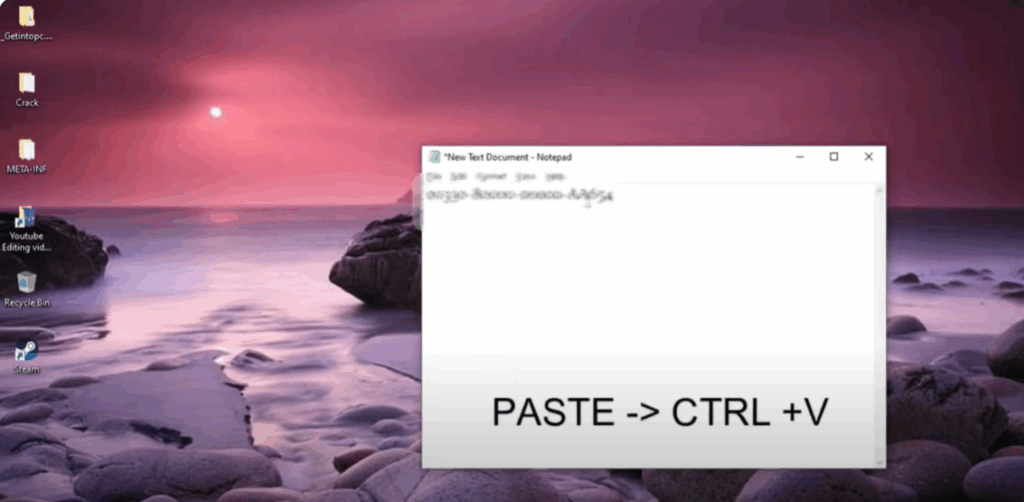
This keeps your ID safe in case you need it again.
Step 5: Download Windows 10 ISO
- Open Chrome or any browser.
- In the search bar, type Windows 10 2009 ISO download and press Enter.
- Click on the first link that takes you to Microsoft’s official website.
- On that page, click on Update now.
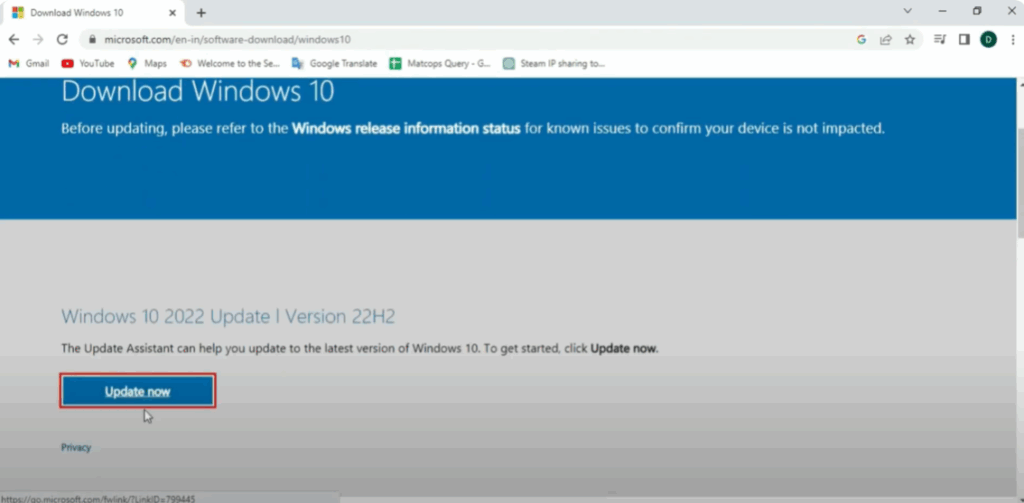
This will download the Windows 10 Update Assistant.
Step 6: Update Windows
Once the tool is downloaded, open it and follow the steps to update your Windows. Updating Windows often fixes activation issues automatically.
After the update, go to your desktop, right-click anywhere, and choose Refresh.
Final Words
If this guide helped you, please hit the Like button, Subscribe to the channel, and comment below what other tech problems you want help with.
See you in the next tutorial. All the best and take care!






